Anagram App
A free, open-source editor for the Darkglass Anagram. Turn a knob on screen and hear it on the pedal right away, then save when you like it. Shape multiband blocks and EQs with real curves, organize your presets, or just describe the tone to an AI.
Which Mac? Apple menu › About This Mac: “Chip Apple M…” is Apple Silicon, “Processor Intel” is Intel. The Apple Silicon build doesn't open on an Intel Mac; the Intel build is experimental.
macOS: the first time, go to System Settings › Privacy & Security › Open Anyway, and allow the app under Input Monitoring (why).
Latest version · Windows 10/11 · macOS Apple Silicon or Intel · no installer, no account
Linux: build from source · All versions
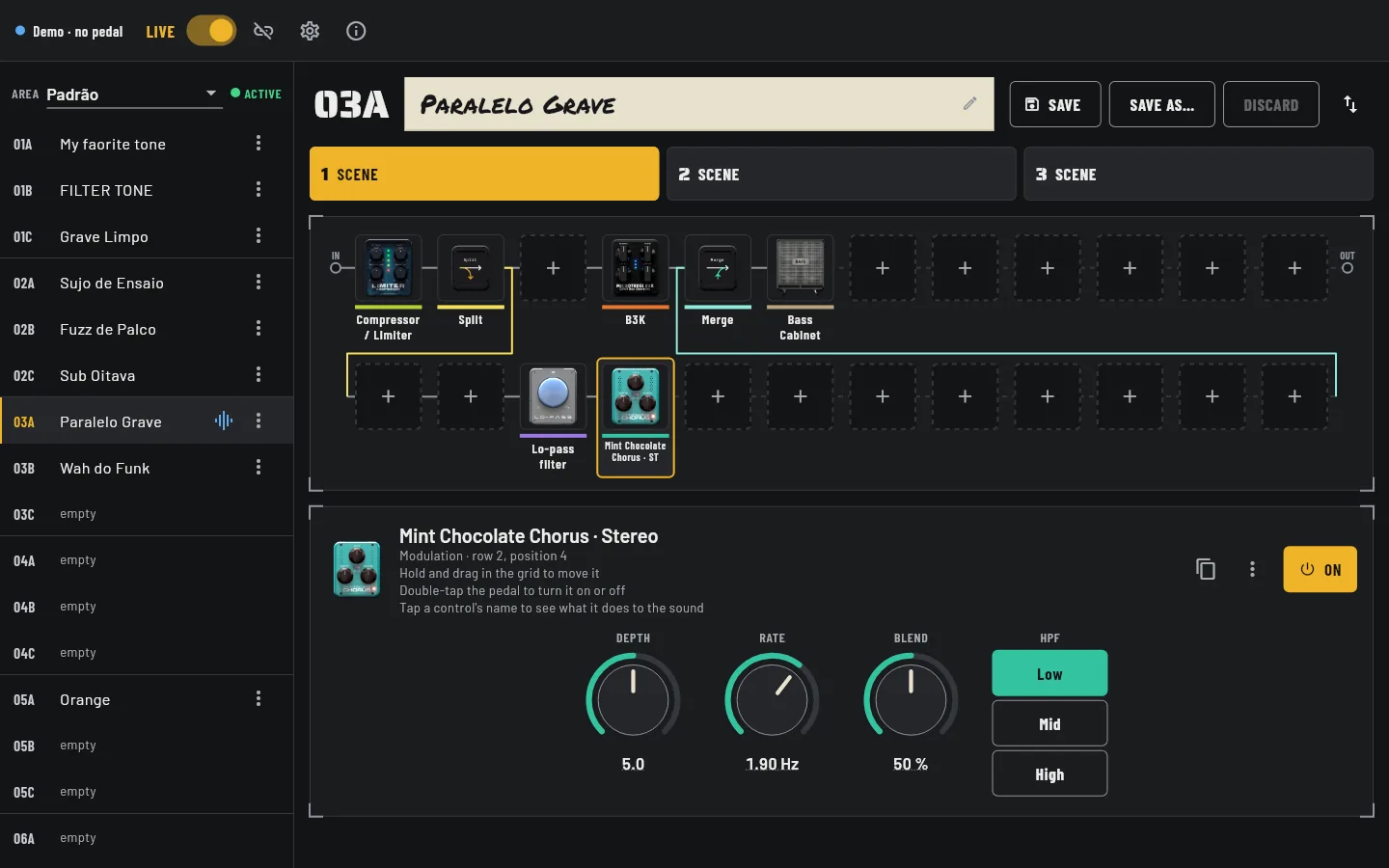
Everything in one chain
The app talks to the Anagram over USB, the same way the pedal's own screen does, and every block already in your presets shows up and can be edited live.
-
Live over USB
Every change is heard at once, now with faster USB writes. The app connects on launch, and "Not saved" stays visible until you save.
-
Multiband panels
Ignissor and Entropia by band, with draggable crossovers and thresholds, the pedal's metal look and its official templates.
-
EQ curves
Parametric EQ: drag the points, switch Gain, Frequency and Width. The Global EQ curve shows what the pedal has (read-only).
-
Every control explained
Big knobs with typed values, and what each one does to the sound.
-
Presets in order
Move, clone and swap presets and banks. Export and import JSON. A backup of the slot before every write, and one of all your presets on demand.
-
Pedal controls
Assign footswitches, pots and the expression pedal to any parameter, with its range and name.
-
Footswitch mode
Stomp, Preset and Scene pills show the mode and switch it from the app. Edit all scenes or only the active one, even in presets with more than 3 scenes.
-
TONE3000 tones
Swap a TONE3000 block between the tones already on your pedal, factory ones included.
-
Drums and metronome
Auto Drummer and Cognate Metro laid out like the pedal's own screen, with tap tempo.
-
AI tone building
Describe the tone; your AI assistant builds and tweaks the chain per scene, sets up the footswitches and opens slots. Saving is always yours to confirm.
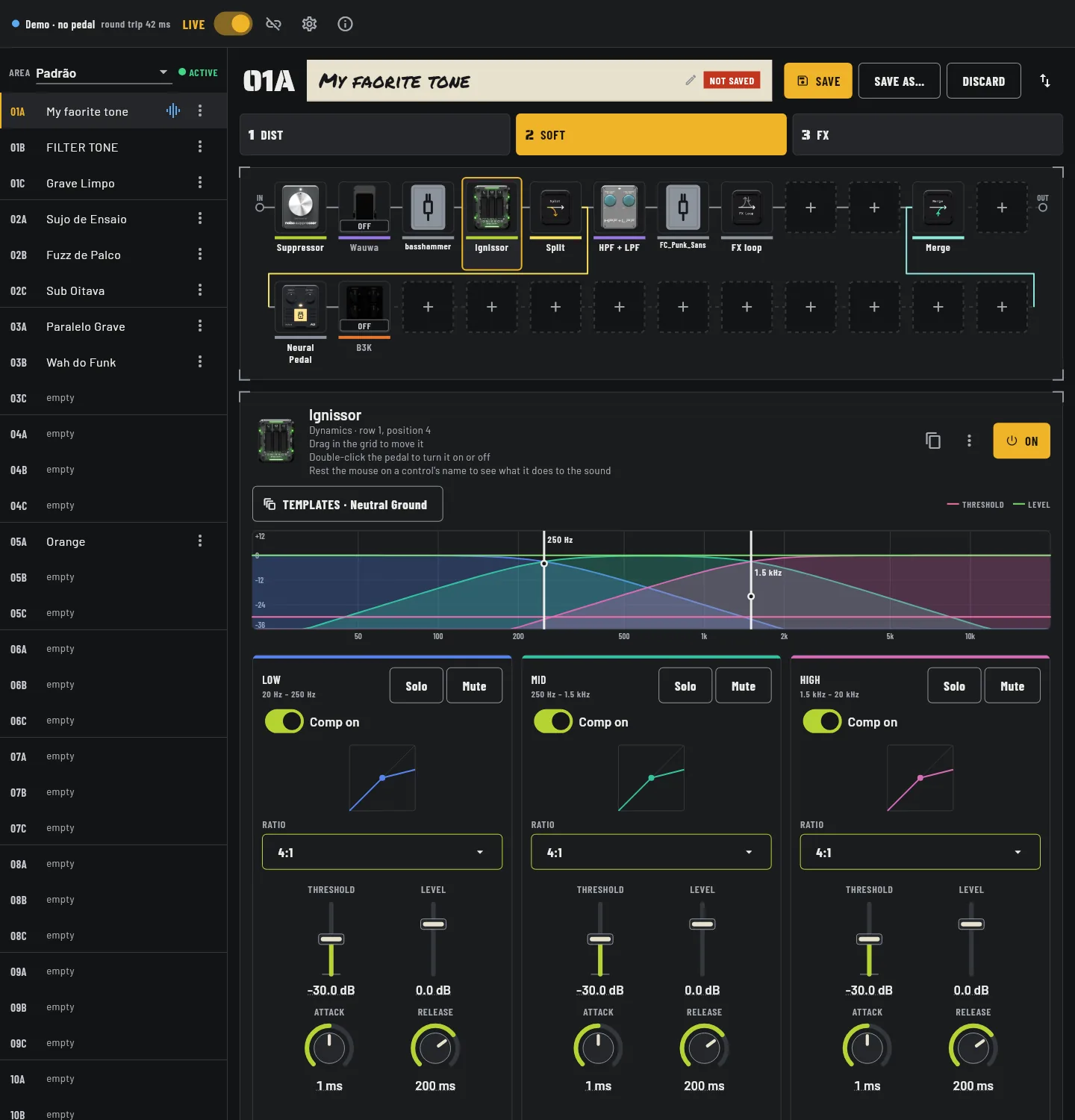
Multiband, the way the pedal draws it
Instead of 26 loose knobs, the Ignissor compressor is laid out by band: a frequency strip with a handle on each crossover, Threshold and Level you can drag, Solo and Mute, and the compression curve of each band.
- Entropia drive with Drive Type and Drive Mode, and a waveform that saturates as you push it.
- Axioma synth with the oscillators, filter and envelope drawn live, on a neon screen like the pedal's.
- Darkglass's official templates for the Ignissor (6) and Entropia (17), with the values read from the pedal.
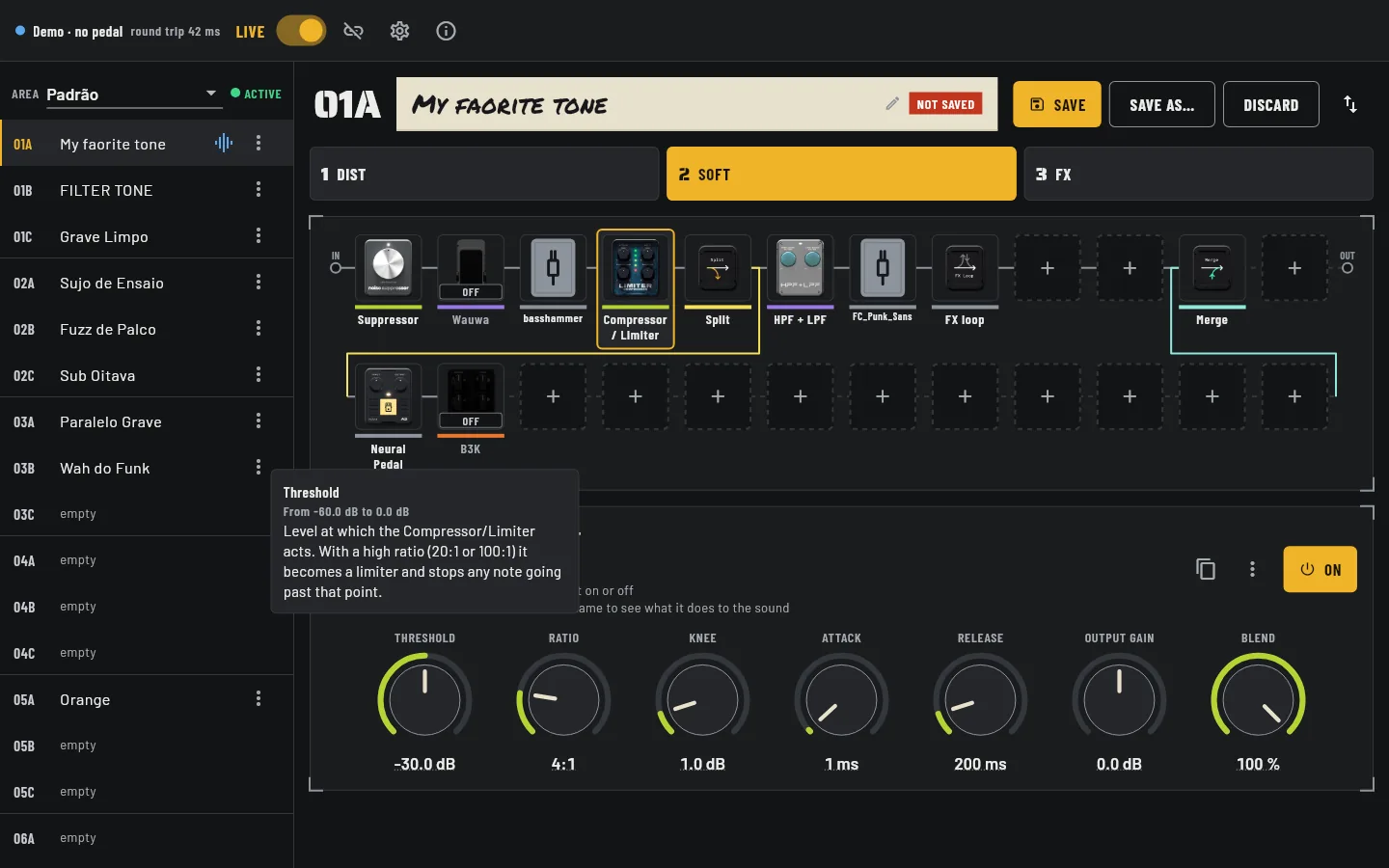
Know what a knob does before you turn it
Rest the mouse on a control's name to read what it does to the sound on that specific block. Type an exact value when you know it, or drag, scroll and use the arrow keys when you don't. Menus have icons and stay compact when you use a mouse, in a dark or light theme, or following your system.
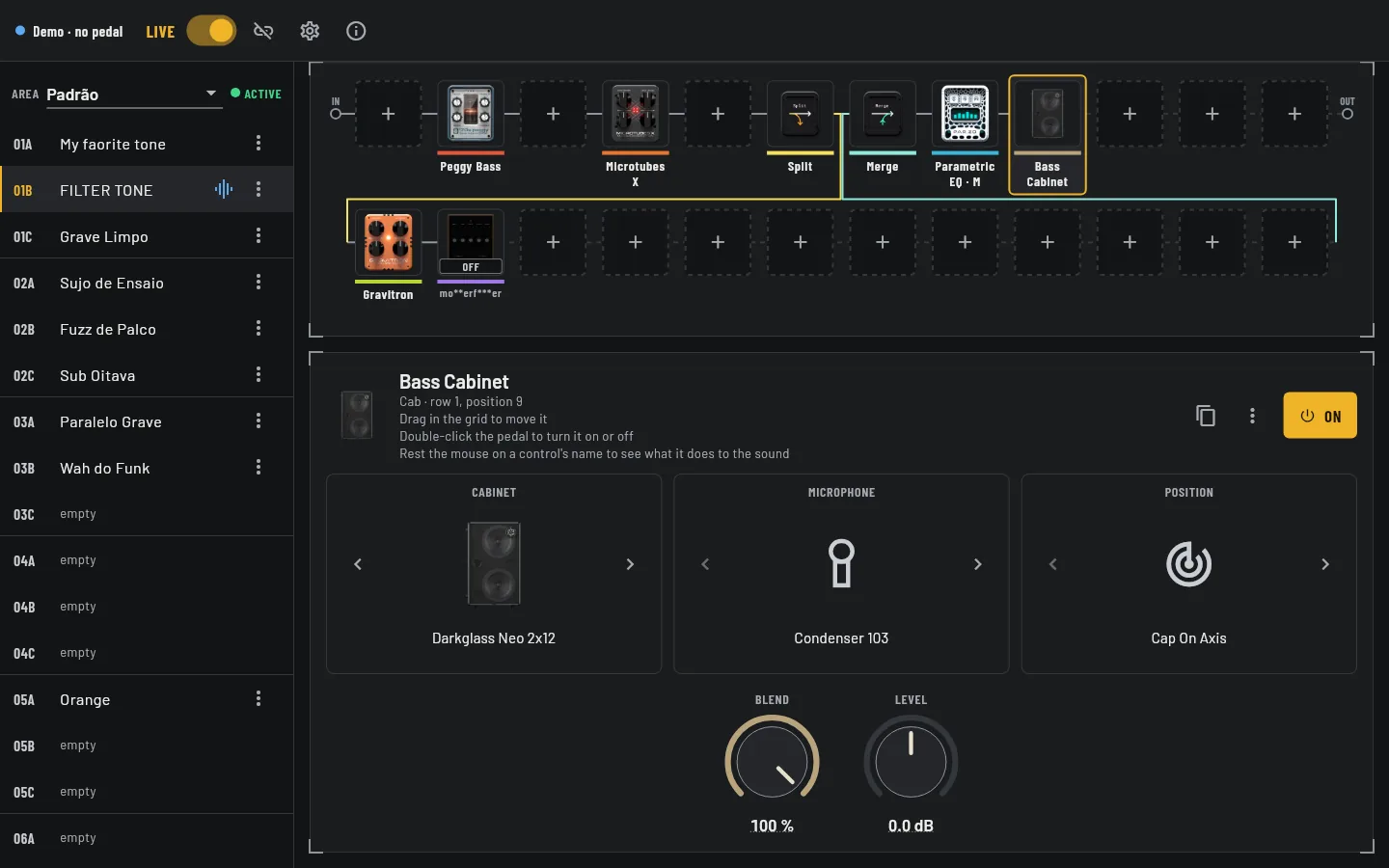
Cabinets you can see
Pick the cab by its photo, then the microphone and its position. A searchable gallery keeps the list short.
Describe the tone. Hear the chain.
Connect an AI assistant running on your computer (Claude Desktop, LM Studio, VS Code with GitHub Copilot or any MCP client). It reads the open preset and changes it through the app, so every step is heard on the pedal and shows on screen. It never writes to a slot unless you confirm in the app.
The app teaches the assistant the pedal: what each of the 109 factory blocks does and how to set it, how to build a bass chain (order, gain staging, the parallel line, EQ by frequency) and starting recipes by style or player reference, all read through the same connection.
"Make it sound like Steve Harris, punchy and bright."
add_blockadds a compressor before the ampset_parameterpushes the upper mids, trims the lowschoose_cabinetpicks a 4x10 cab, mic close to the cone- Not savedyou listen, ask for changes, then save
Example of a session. The AI can't hear the sound: you tell it what to change.
- Allow AI in Settings. The app listens only on your own computer and asks for a token.
- Copy the configuration for your client and paste it into its MCP settings. For LM Studio:
{
  "mcpServers": {
    "anagram": {
      "url": "http://127.0.0.1:8765/mcp",
      "headers": { "Authorization": "Bearer <token>" }
    }
  }
}
VS Code + GitHub Copilot: the app copies the
mcpServersentry with"type": "http"for~/.copilot/mcp-config.json(VS Code docs). The Copilot app on Windows and Microsoft 365 Copilot can't add a local MCP server. - Open a preset and talk. "Tighter low end", "split the drive at 250 Hz", "a slap tone for funk".
Questions
Do I still need the Darkglass Suite?
Yes, keep it: firmware updates and uploading IRs or NAM captures are done in the Suite. Just don't run both at the same time, because only one program can talk to the pedal.
Does it work with blocks bought on the marketplace?
Yes. Since version 0.2.0 the app asks the pedal (firmware 1.14 or newer) which blocks are installed and reads their real parameters, so a Marketplace block shows up in the block library, can be added to a preset and is edited live like any other. It uses the product's store image when there is one, or a generic picture.
Windows says "Windows protected your PC". Is it safe?
The app isn't code-signed yet. Click More info and Run anyway; it only shows once. On macOS, open System Settings › Privacy & Security and click Open Anyway. The source code is public on GitHub.
macOS: first launch
The app isn't signed by Apple yet, so the first time macOS blocks it: open System Settings › Privacy & Security and click Open Anyway (or run xattr -cr "/Applications/Anagram App.app" in Terminal).
macOS treats the Anagram's USB access as Input Monitoring. The first time you click Connect over USB, macOS asks for it, and the app doesn't open the USB until it's allowed. If it isn't, the connect screen has an Open System Settings button: turn Anagram App on under Privacy & Security › Input Monitoring, then quit and reopen the app.
Why can't I change the Global EQ, output levels or input gain?
The Anagram accepts those values over USB but doesn't apply them to the sound, so the app shows them read-only, with the values the pedal has now. Adjust them with the pedal's own knobs and screens. The Parametric EQ block inside a preset stays fully editable.
Which firmware does it support?
It's tested on Anagram firmware 1.19.2.24. Presets are read and written as the pedal stores them, keeping fields the app doesn't know.
Does it collect any data?
No ads, no account, no telemetry. The app talks to the pedal over USB. Its only internet request is an optional check for a new version on GitHub, which sends only the app's version (in the User-Agent header; as with any connection, GitHub sees your IP address) and can be turned off in Settings. The AI bridge only listens on your own computer.
No pedal with me. Can I try it?
Yes: Open demo simulates an Anagram in memory, with presets and blocks, so you can explore every screen.
Download the latest version, and if it makes your Anagram more fun, a star on GitHub helps other bassists find it. Ideas and bugs go to the issues.